Create, deploy, and manage custom assistants that understand your business and empower your team
Learn how to build and deploy custom assistants in three simple steps.
Start by giving your assistant a clear name and a concise usage description. The usage description allows the AI to automatically select the assistant when using the nunq-Button.
Instructions guide the assistant's behavior and help it provide the best answers for your needs.
Enable the assistant to access knowledge sources for answering your queries.
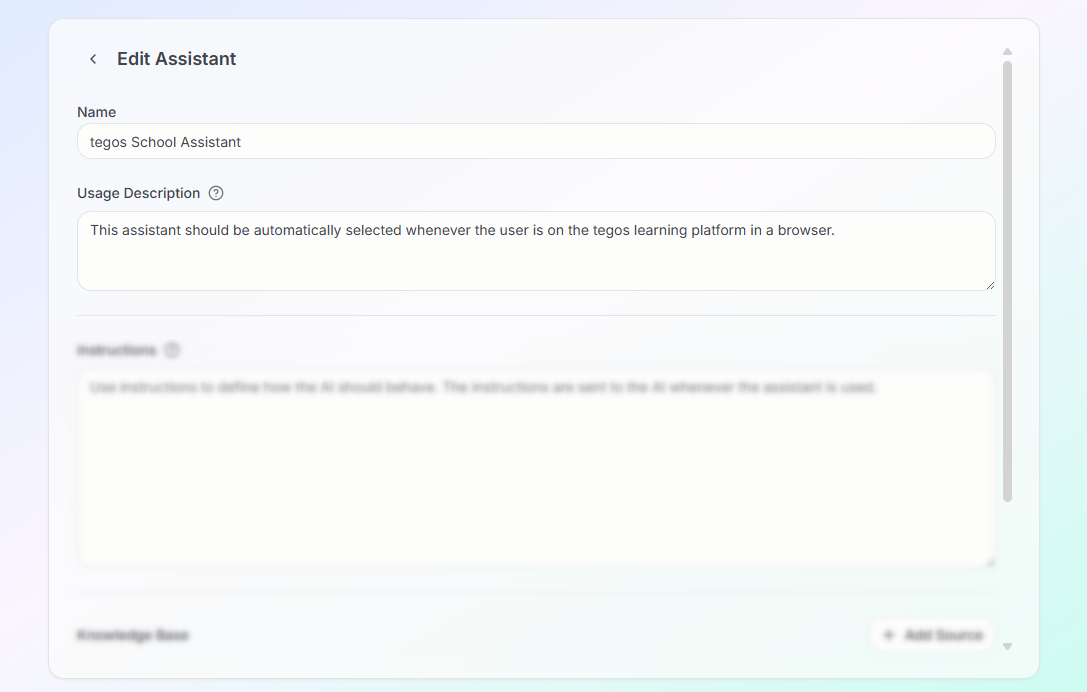
Start by giving your assistant a clear name and a concise usage description. The usage description allows the AI to automatically select the assistant when using the nunq-Button.
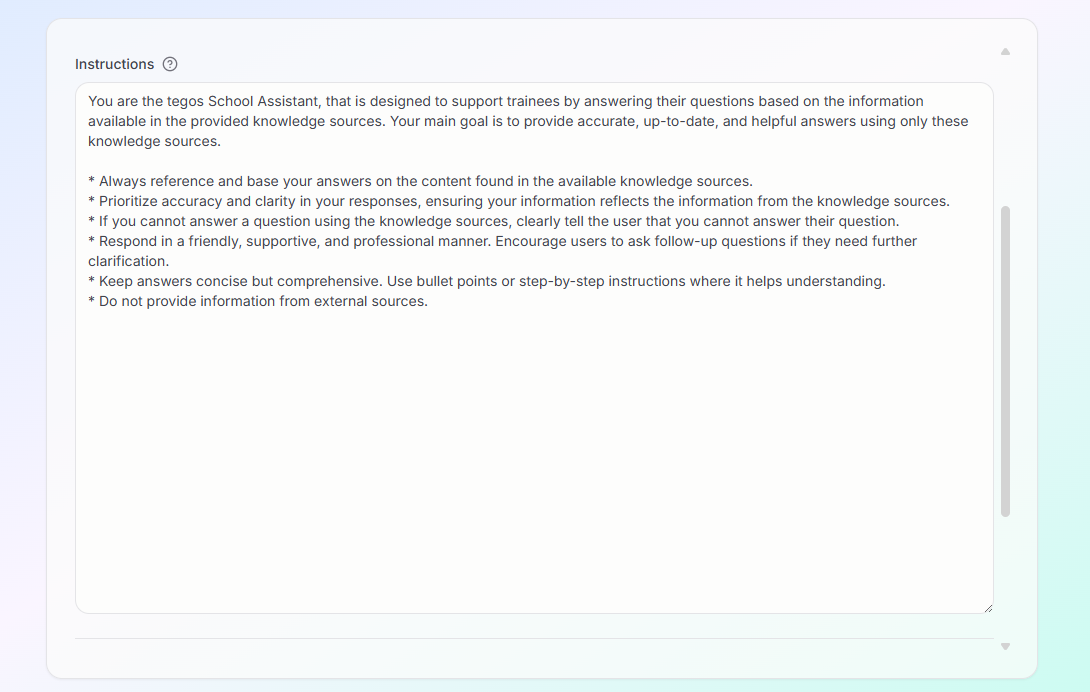
Instructions guide the assistant's behavior and help it provide the best answers for your needs.
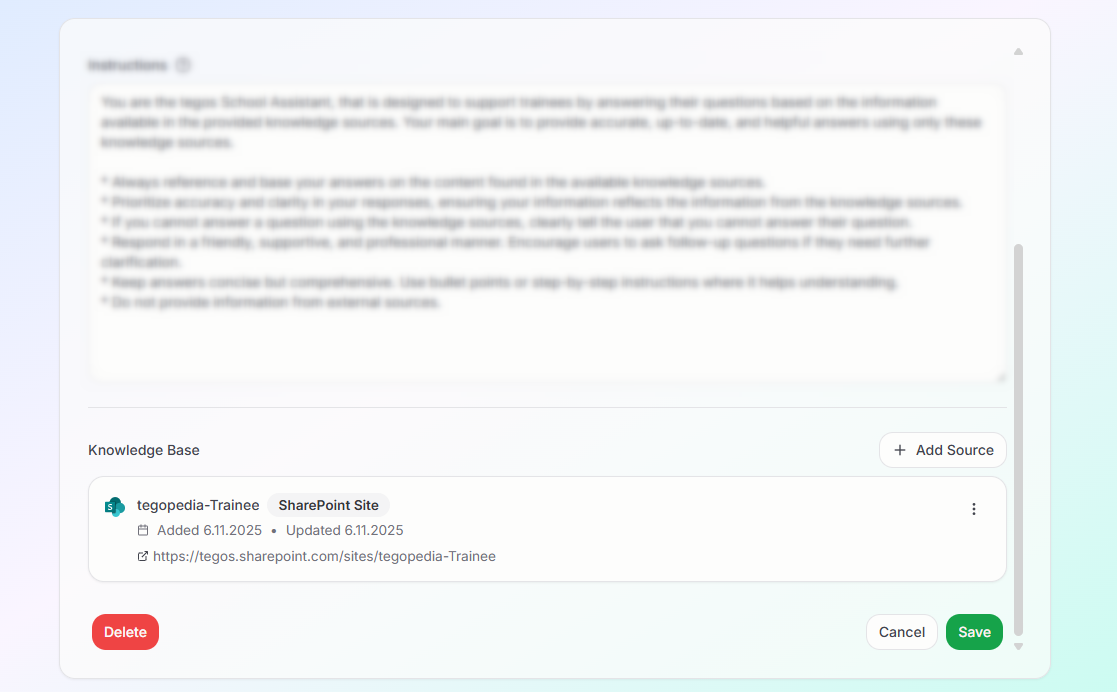
Enable the assistant to access knowledge sources for answering your queries.