The Windows desktop application redefines productivity by bringing AI assistance into every application, eliminating context switching and maximizing efficiency.
The nunq-Button provides instant access to AI assistance in any application. See how it works in three simple steps.
nunq is available in every application on your Windows PC. Whenever you need help, click on the top right nunq-Button on the application you are currently working on, to open nunq.
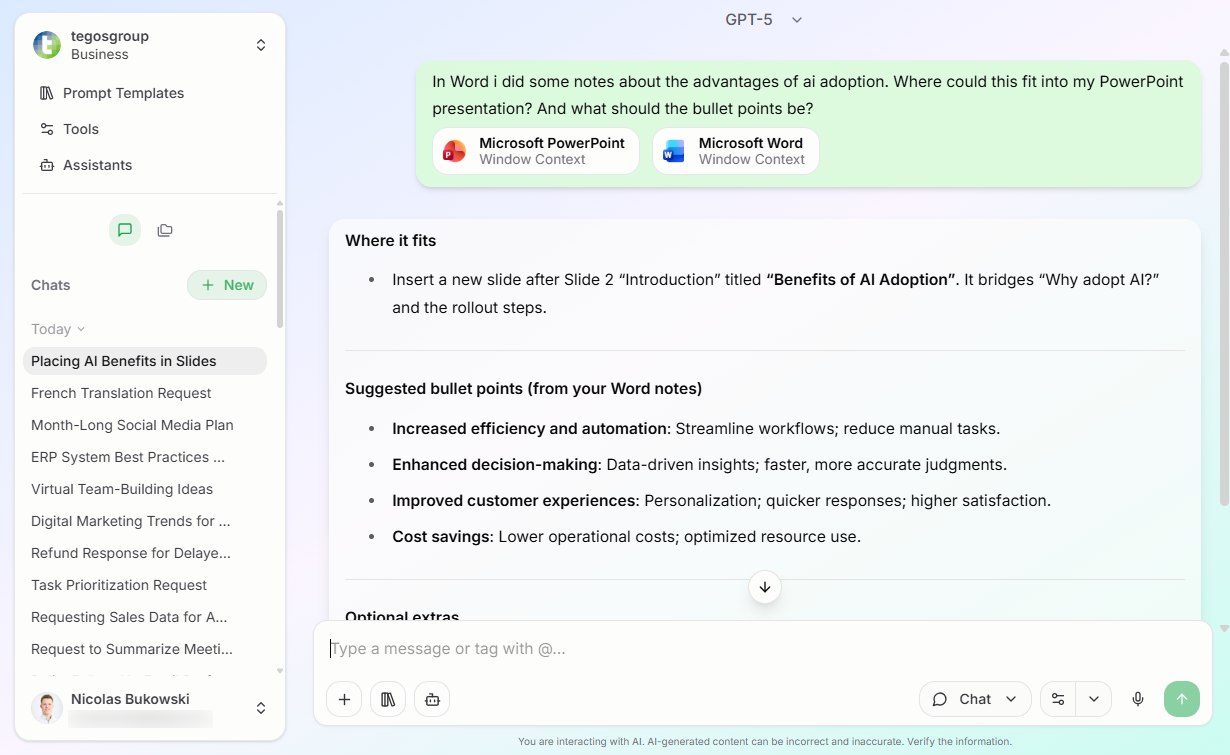
When clicking the button in any application, nunq will know the context you are working in, by getting a screenshot as well as the content of your current window.
nunq now has all the information it needs and can provide you with the AI response for your use case.
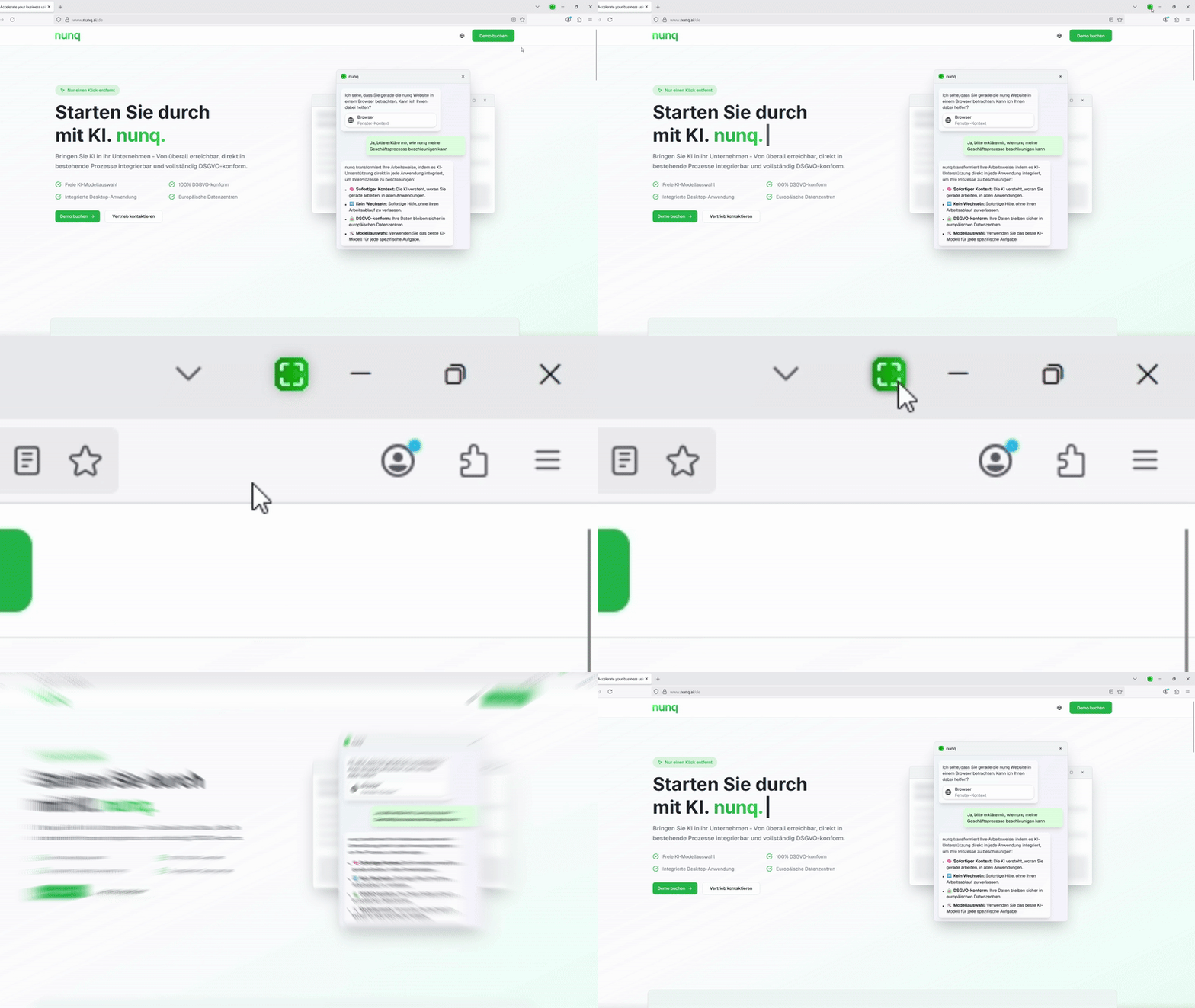
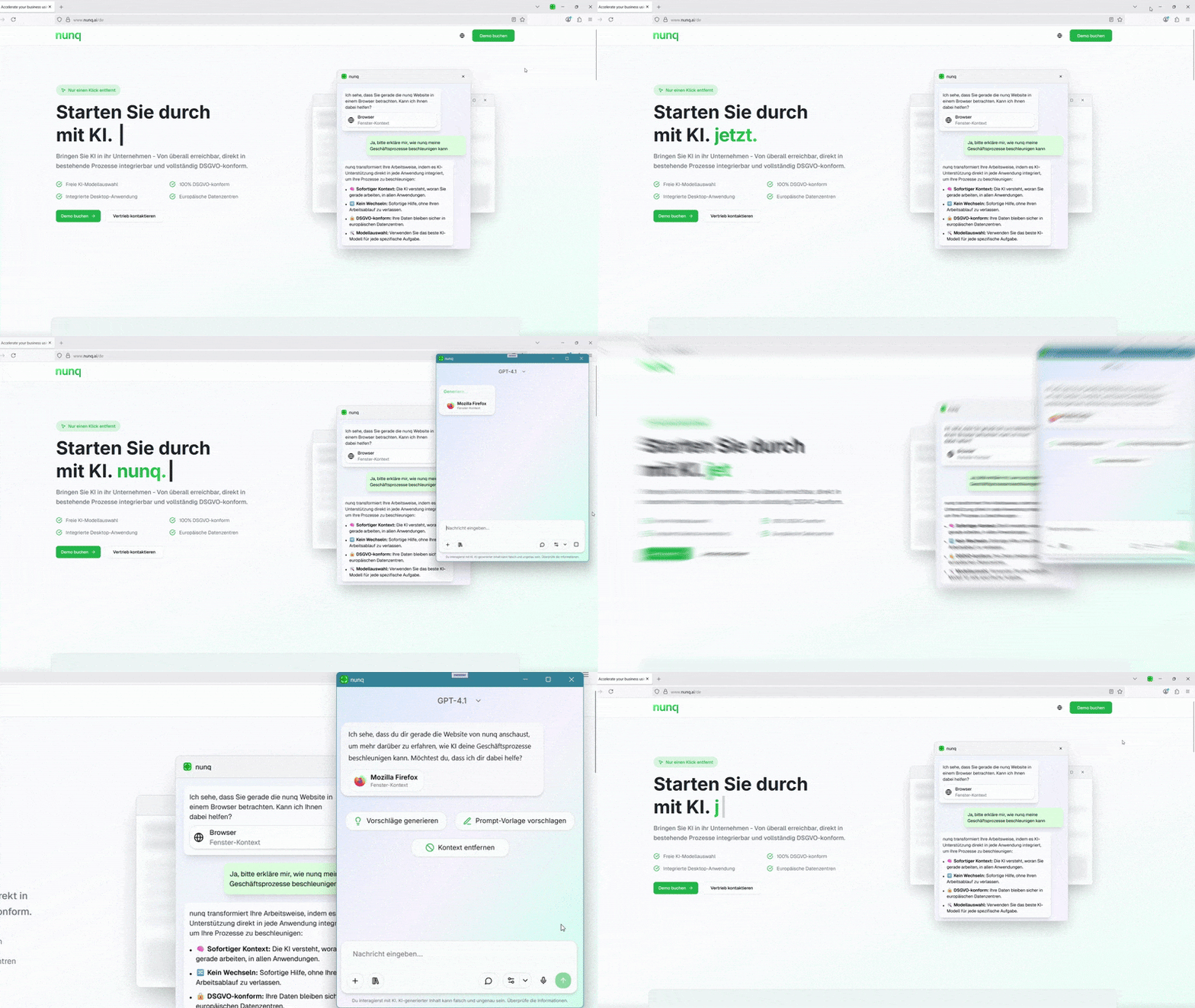
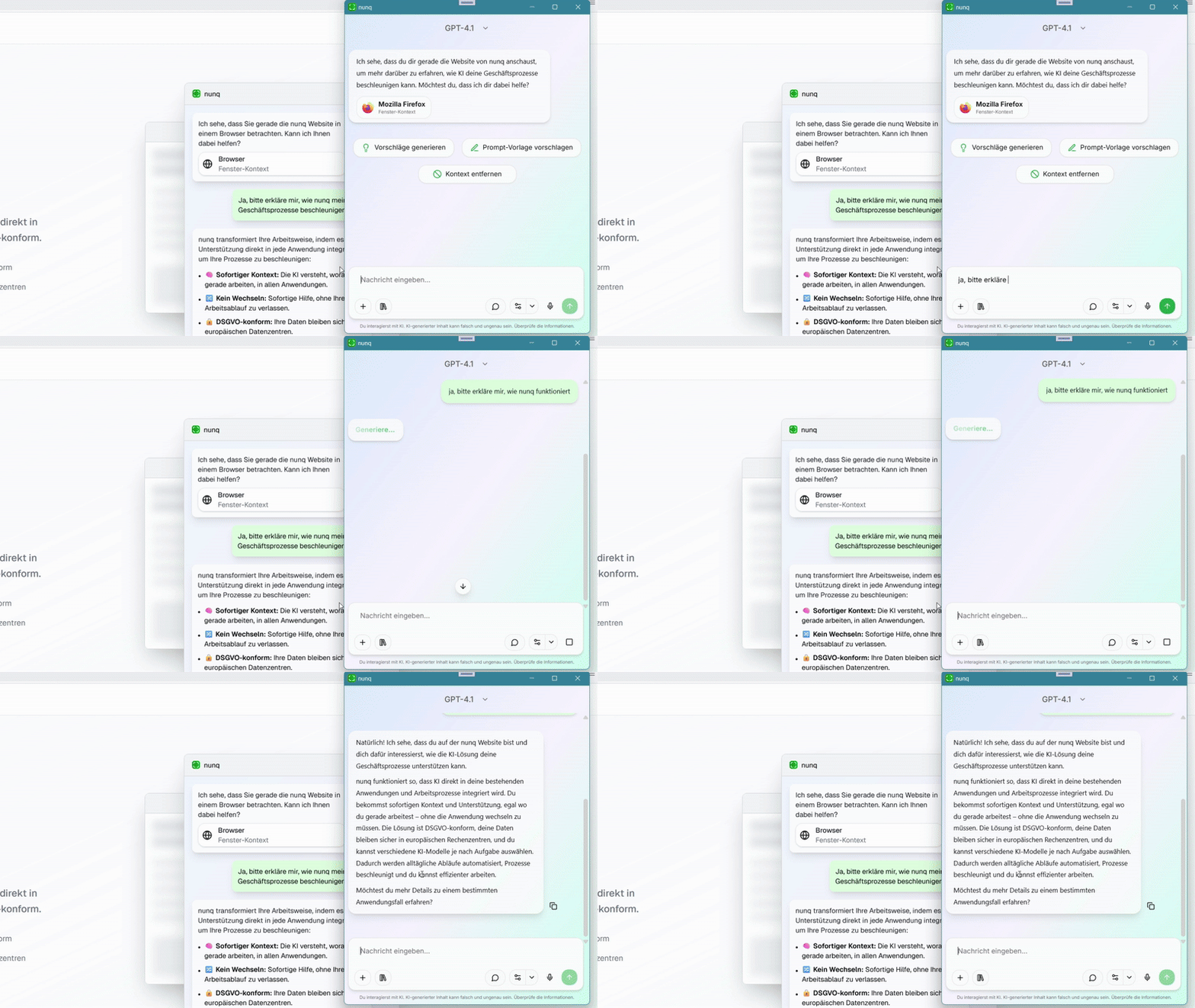
nunq is available in every application on your Windows PC. Whenever you need help, click on the top right nunq-Button on the application you are currently working on, to open nunq.
When clicking the button in any application, nunq will know the context you are working in, by getting a screenshot as well as the content of your current window.
nunq now has all the information it needs and can provide you with the AI response for your use case.
In Live-Mode the context is automatically updated with every new chat message, ensuring the AI always works with the most current information without any manual action required.
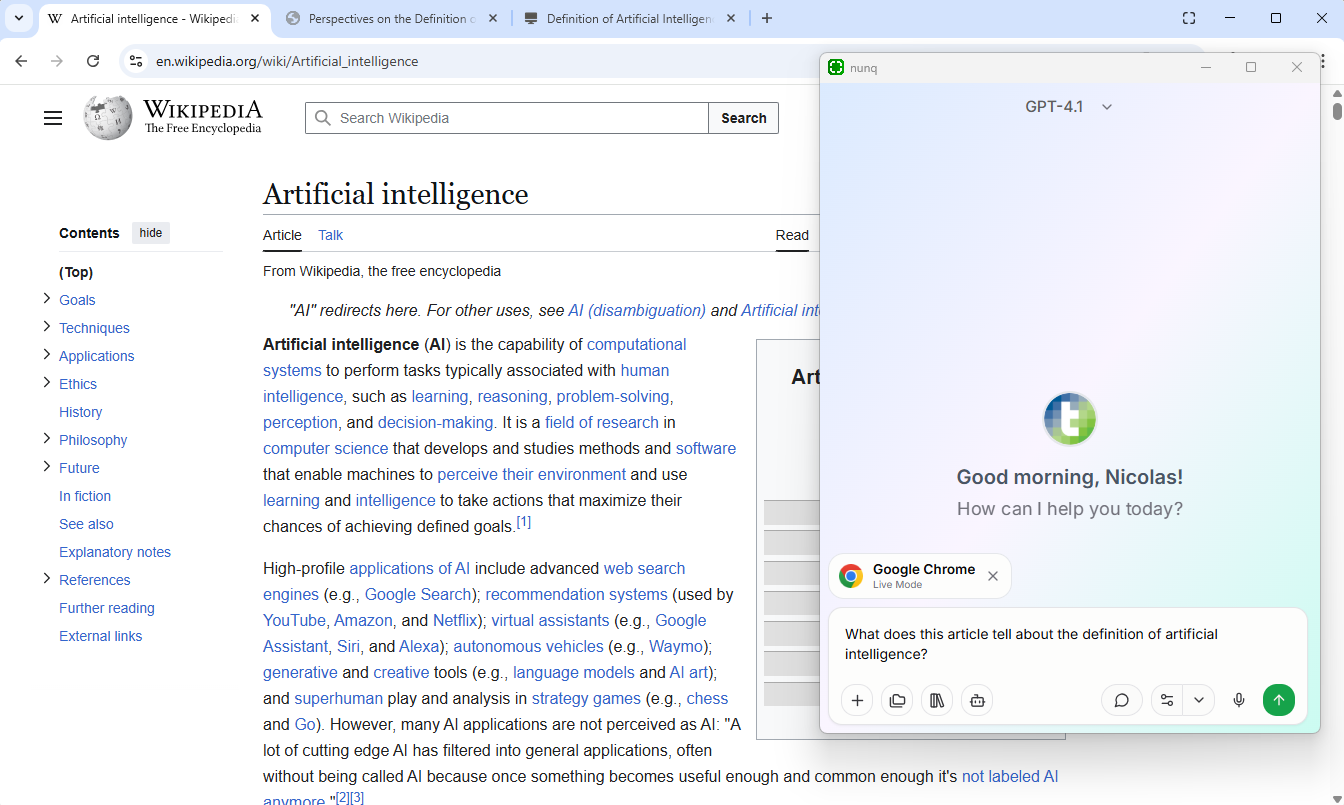
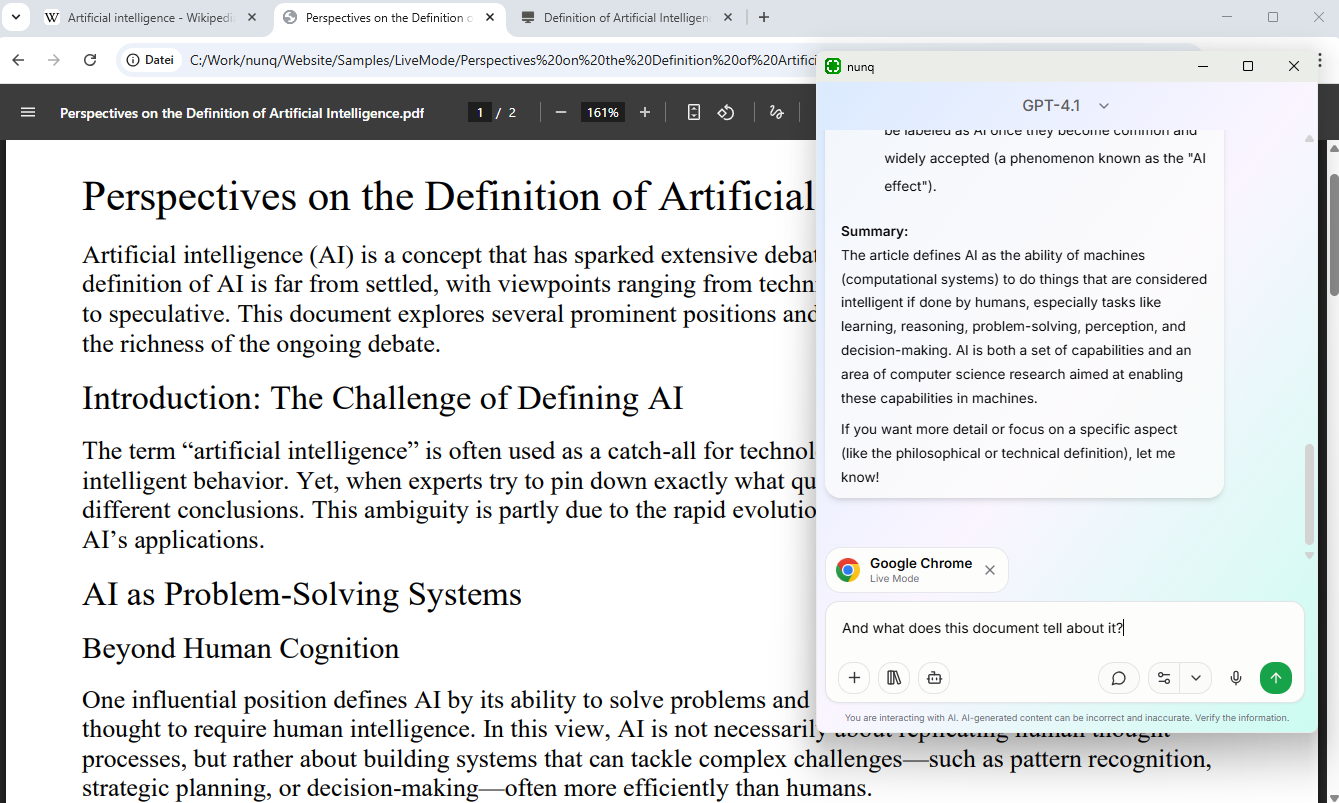
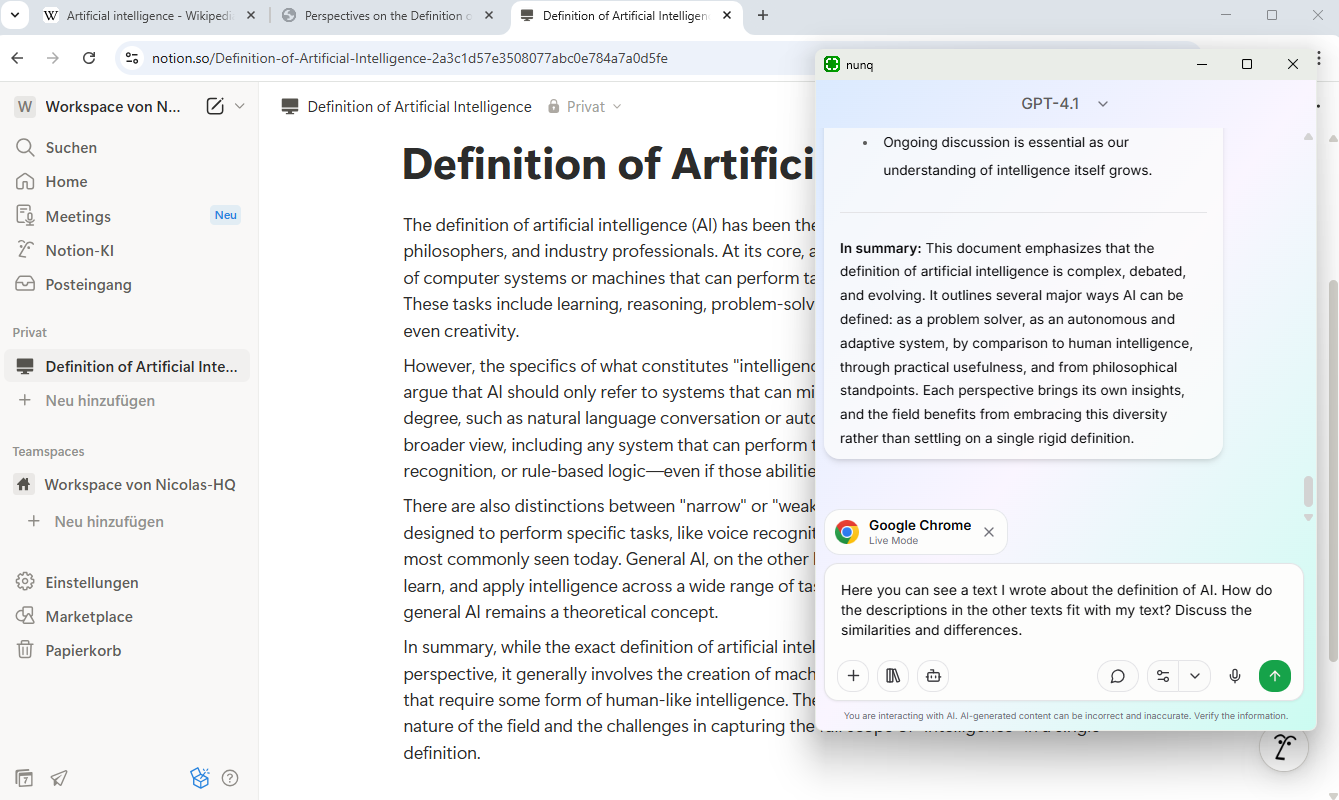
With every message you send, nunq automatically retrieves the latest context from your selected window or screen and provides it to the AI.
You can for example switch between browser tabs or edit content. With the next message, the AI will know the latest context.
The AI can track changes and progress in your applications, making conversations more dynamic and context-aware.
With every message you send, nunq automatically retrieves the latest context from your selected window or screen and provides it to the AI.
You can for example switch between browser tabs or edit content. With the next message, the AI will know the latest context.
The AI can track changes and progress in your applications, making conversations more dynamic and context-aware.
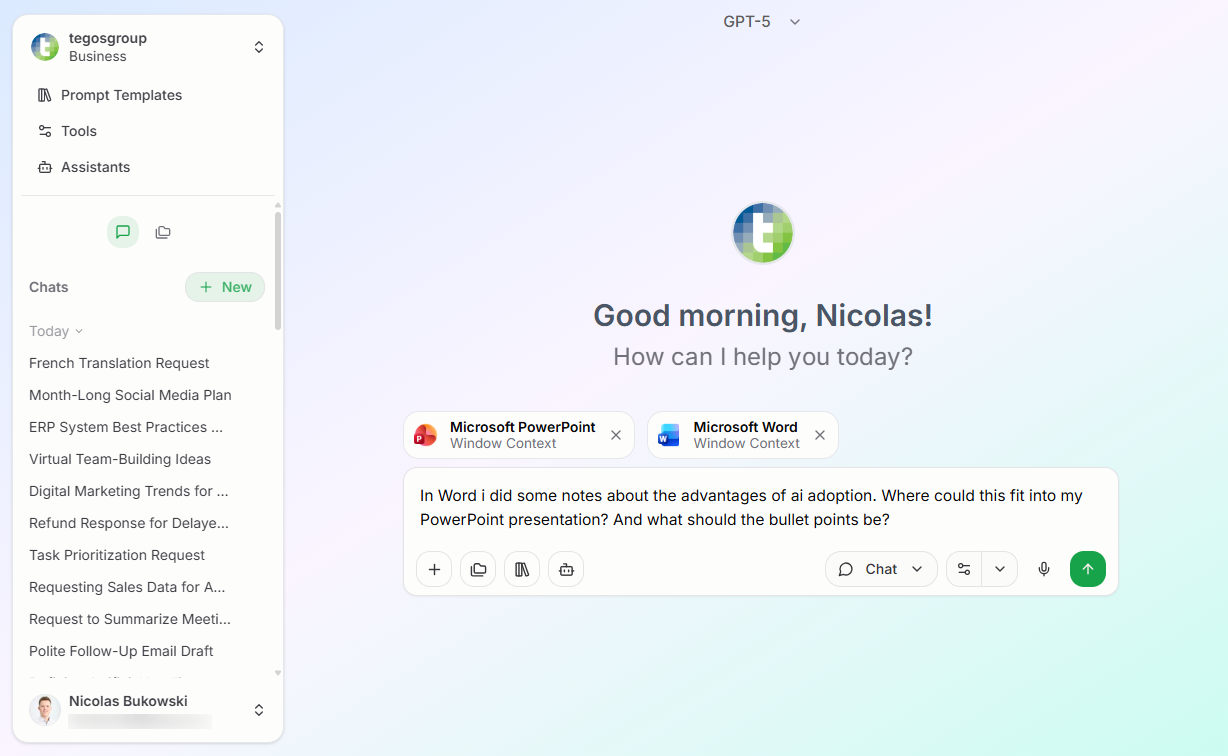
Manually add context from any application or screen exactly when you need it.
Select the application or screen whose context you want to add. The context is captured once after selection.
Formulate your question or request in relation to the context just added. nunq will use this information to understand your request.
nunq provides you with answers that are tailored to the specific context you provided, making the assistance more relevant and helpful.
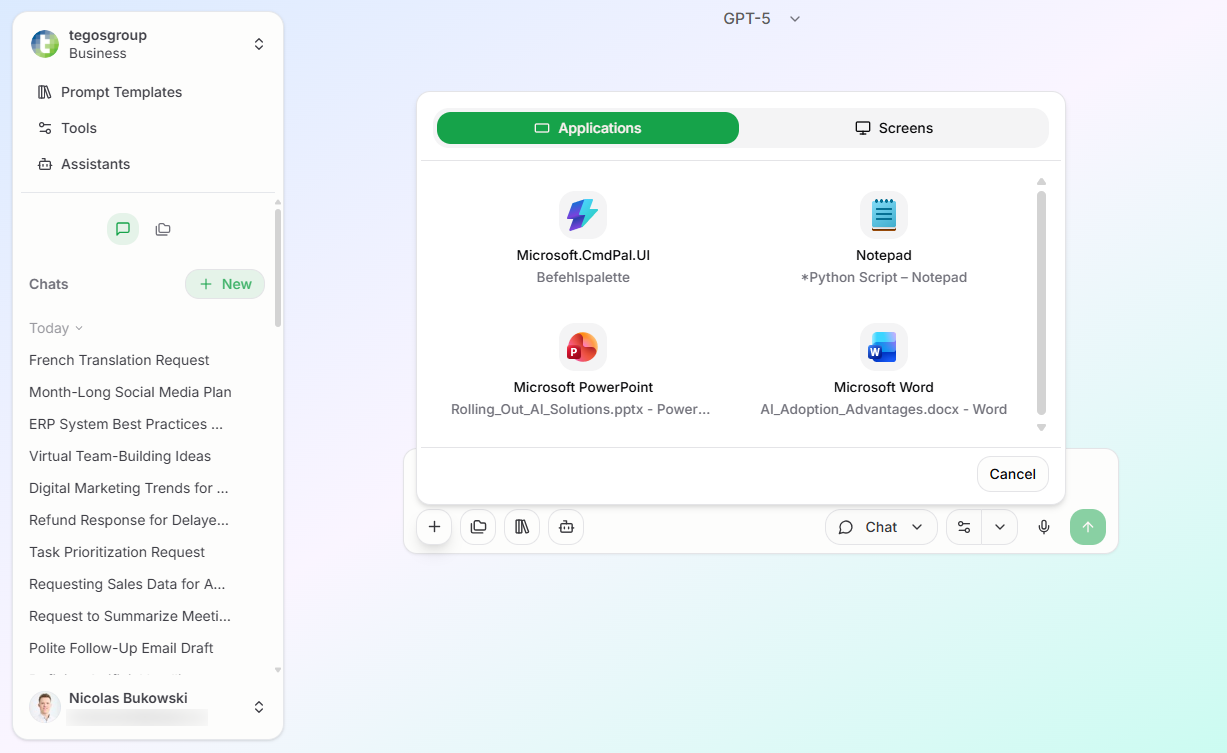
Select the application or screen whose context you want to add. The context is captured once after selection.
Formulate your question or request in relation to the context just added. nunq will use this information to understand your request.
nunq provides you with answers that are tailored to the specific context you provided, making the assistance more relevant and helpful.